Chapter 9 - Deploying a Wazuh Agent
Deploying Wazuh agent on endpoint to enable real-time monitoring and alerting.

Introduction
With the Wazuh server successfully deployed and accessible, the next step is to connect endpoints to it for monitoring. In this chapter, we deploy a Wazuh agent on a Debian target VM so it can send security logs and events to the Wazuh server for analysis.
Prerequisites
Make sure to create a debian target VM. Please refer to chapter 4 to install.
- A Debian target VM must be available.
- If not already created, refer to Chapter 4 for Debian VM installation steps.
- The Wazuh server should be up and running and accessible.
What is Wazuh Agent?
“The Wazuh agent is multi-platform and runs on the endpoints that you want to monitor. It communicates with the Wazuh server, sending data in near real-time through an encrypted and authenticated channel.
The Wazuh agent was developed to monitor a wide variety of endpoints without impacting their performance.” - Wazuh Documentation
Deploy a new agent
- Log in to the Wazuh Web UI.
- Navigate to Agent Management → Summary.
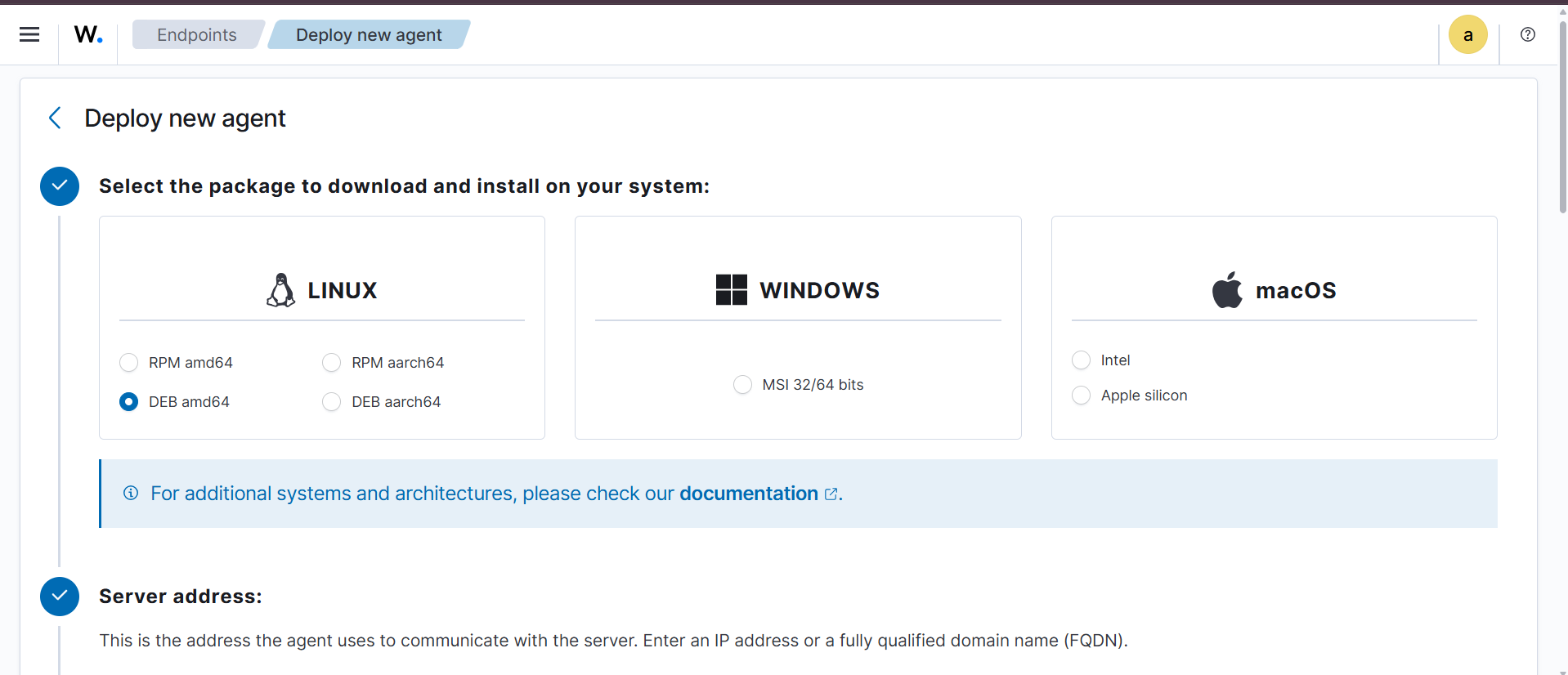
- Click Deploy New Agent.
- Select the package type DEB (amd64) for the Debian target VM.
- Set the Wazuh server address to
192.168.2.2.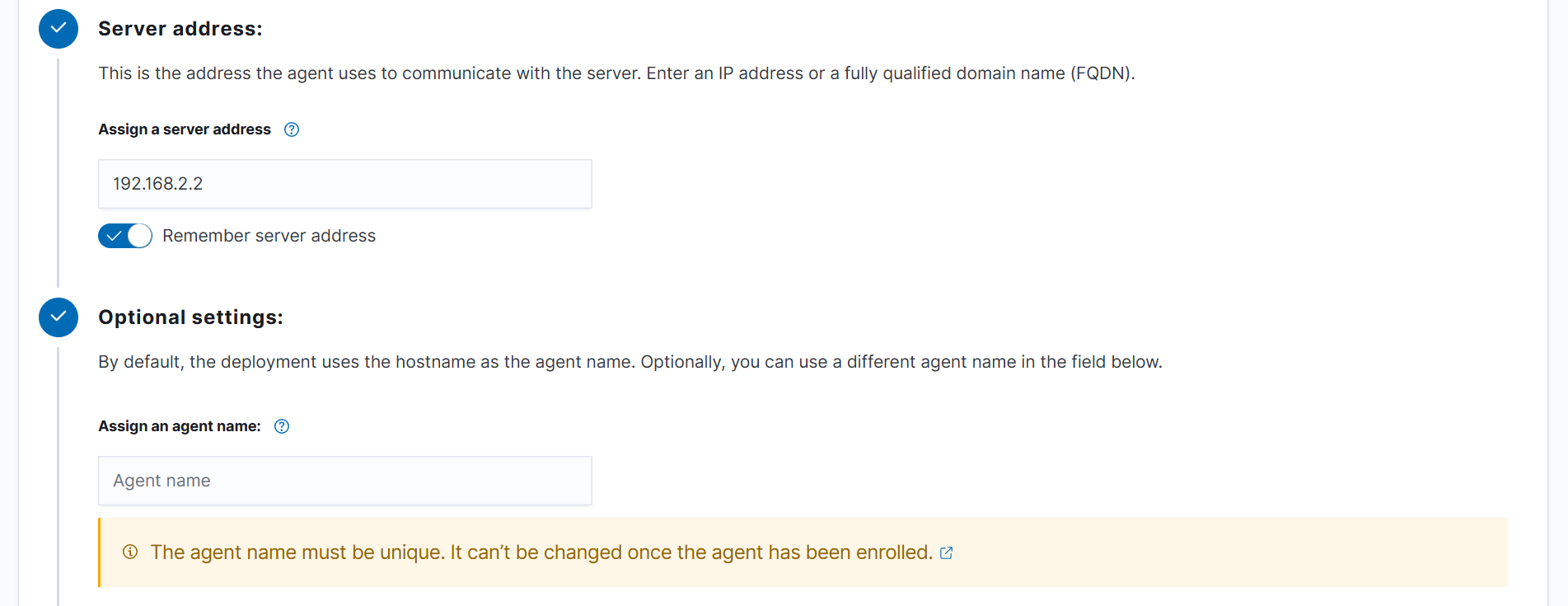
- Copy the generated
curlcommand.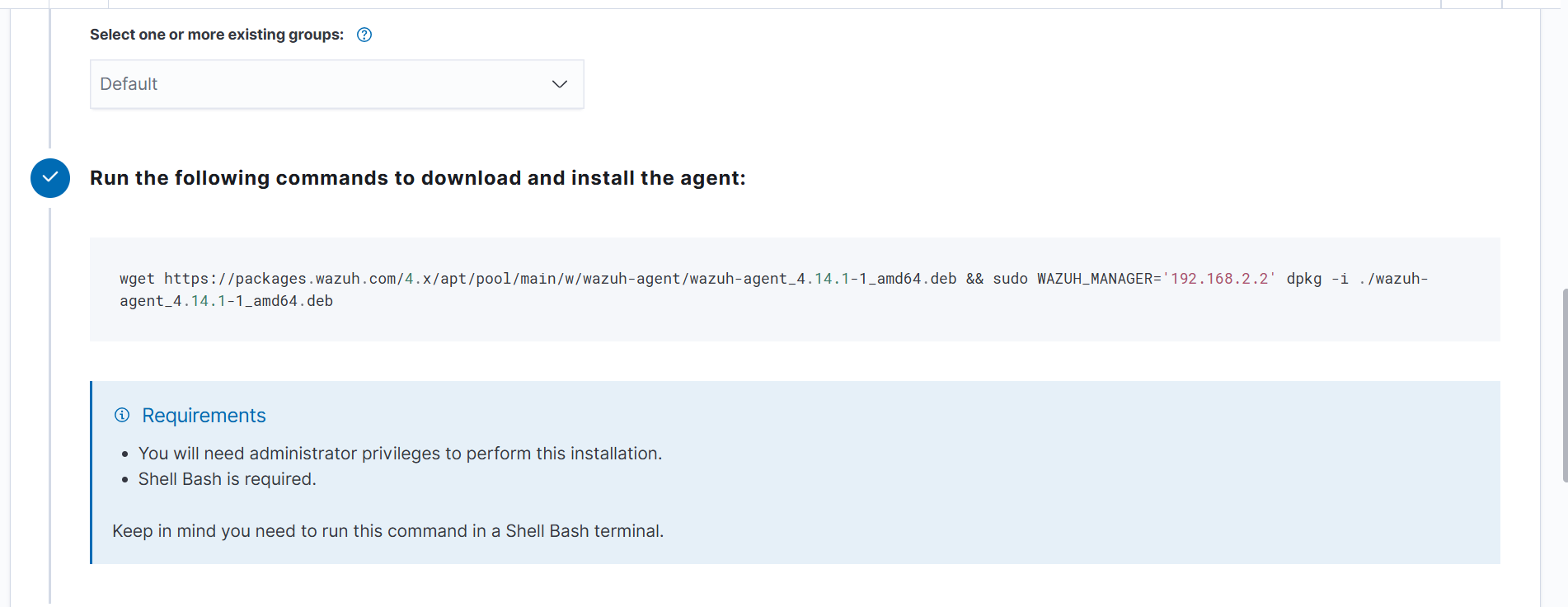
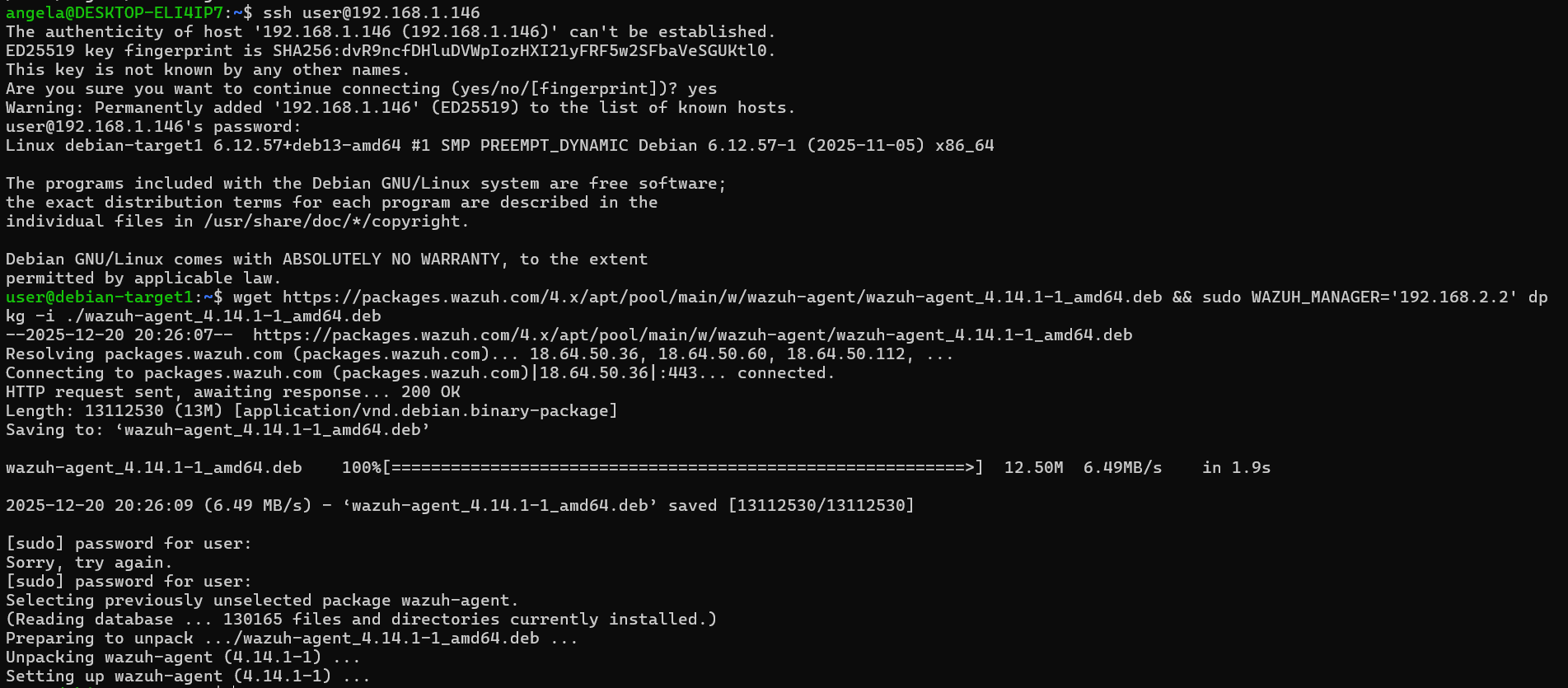
- Run the copied command on the Debian target VM to install the Wazuh agent.
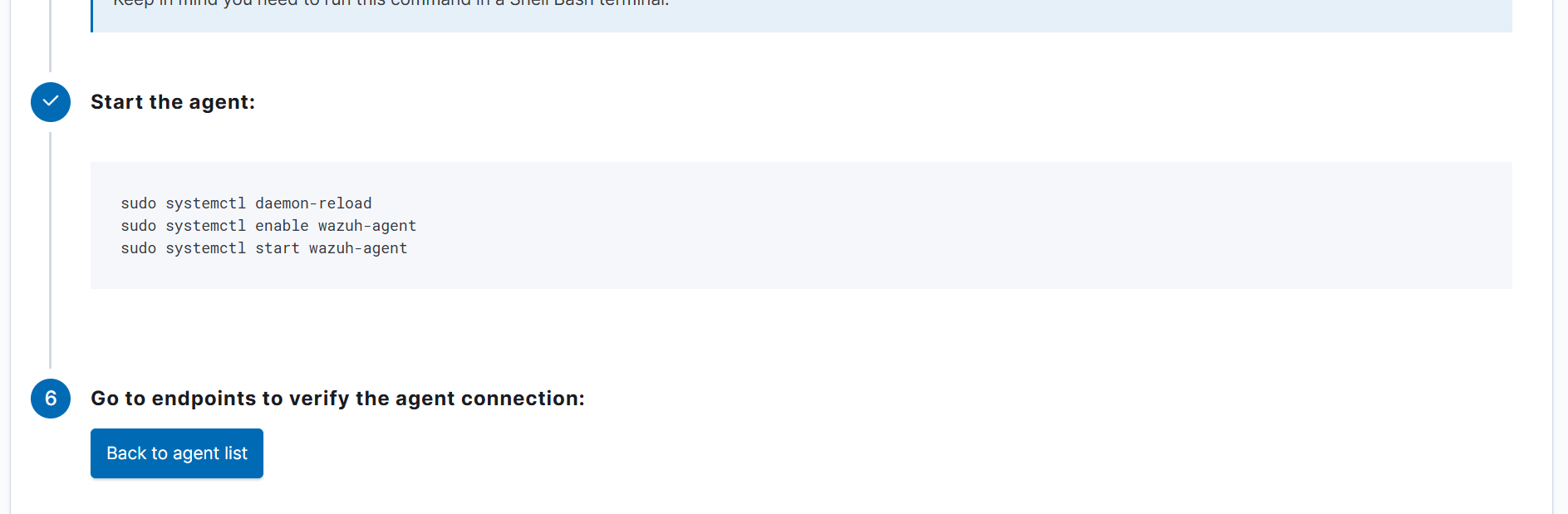
- Start the agent using the commands provided in the Wazuh UI.

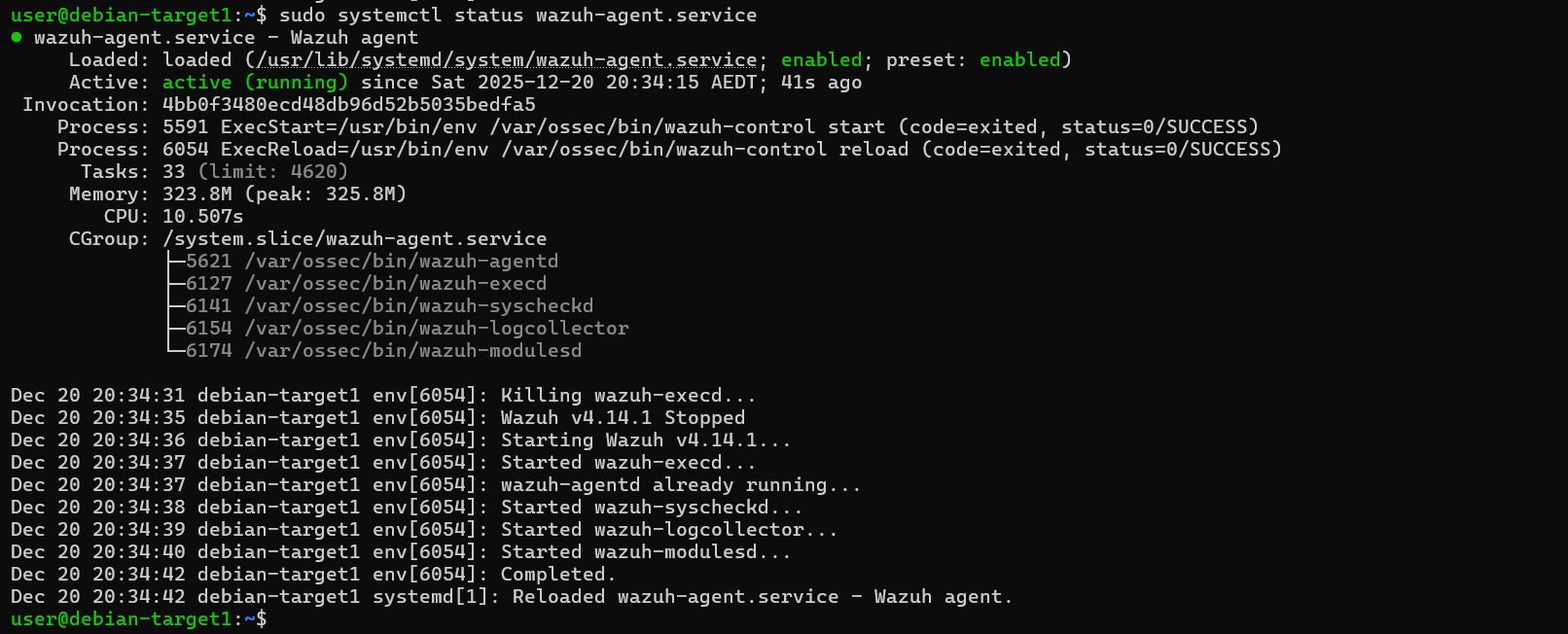
- Verify the agent status by running: sudo systemctl status wazuh-agent.service
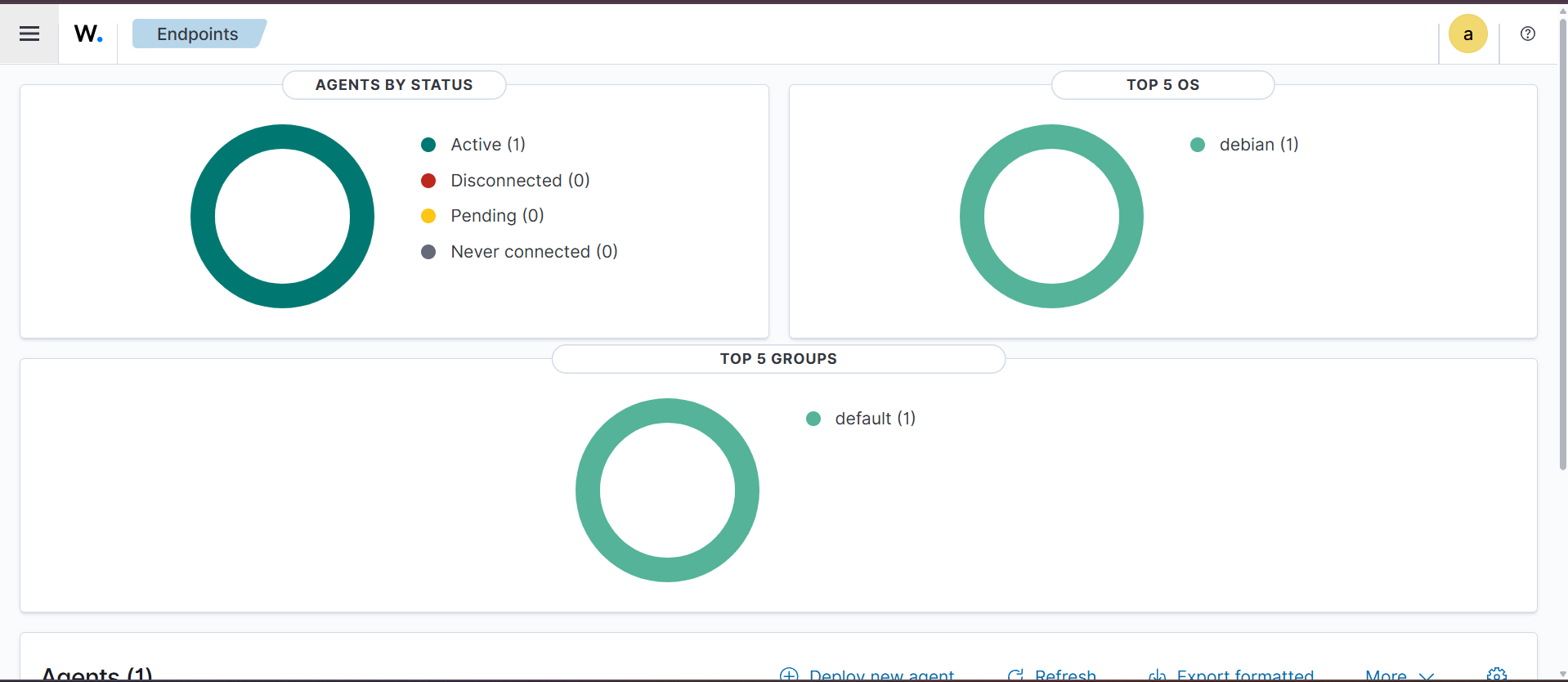
- Return to Agent Management → Summary in the Wazuh UI. You should now see one active agent, representing the Debian VM.
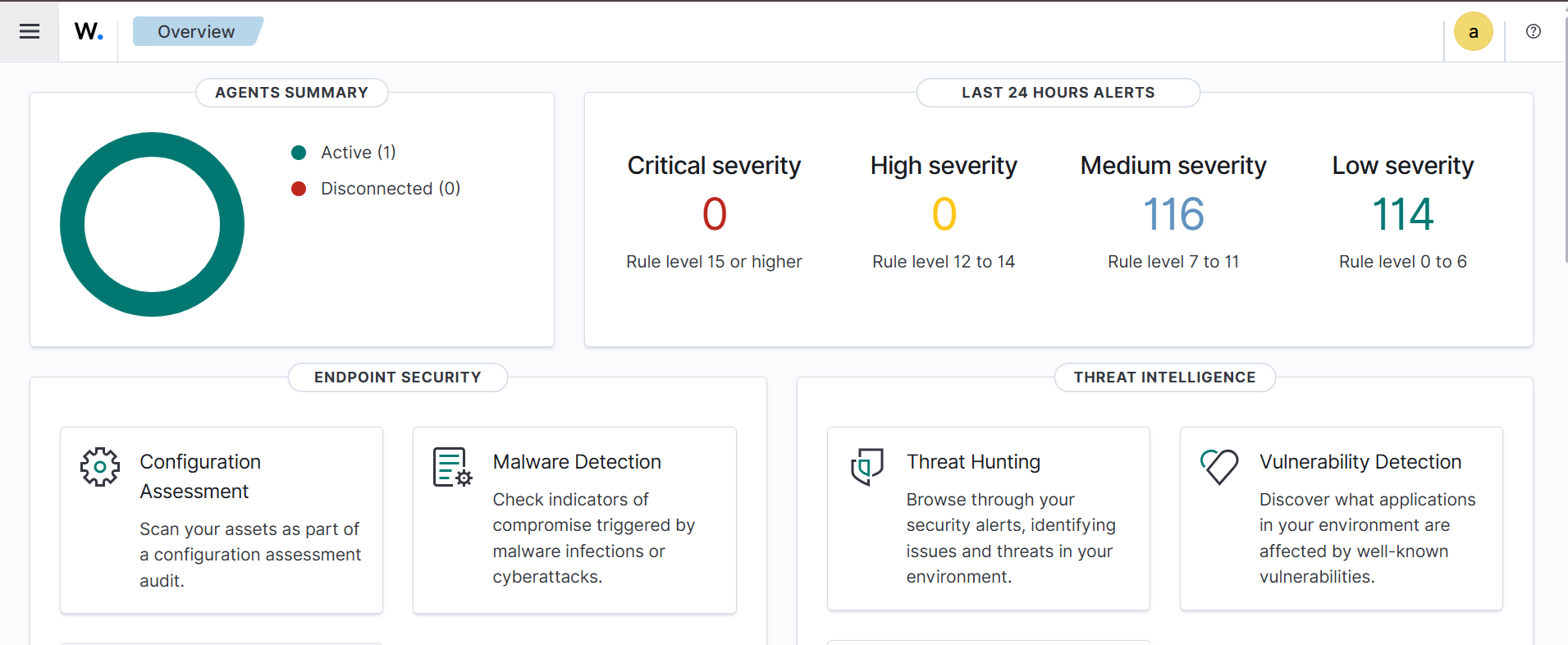
- Navigate to the Wazuh Dashboard → Overview to confirm alerts are being generated. You should see alerts categorized by high, medium, and low severity.
Conclusion
In this chapter, we successfully deployed a Wazuh agent on a Debian endpoint and connected it to the Wazuh server. The agent is now actively sending logs and security events, allowing Wazuh to generate alerts and provide visibility into endpoint activity.
Up Next
In the next chapter, we will simulate an SSH password brute-force attack on the Debian endpoint and observe how Wazuh detects and reports the activity through alerts in the dashboard.