Chapter 10 - SSH Brute-Force Detection Using Wazuh
Simulating and detecting an SSH password brute-force attack in Wazuh.

Introduction
In this chapter, we simulate an SSH password brute-force attack against a wazuh monitored endpoint. This helps demonstrate how security events are captured, analyzed, and presented through the Wazuh dashboard in real time.
Prerequisites
- Wazuh agent installed on the victim machine (refer to Chapter 9).
- Wazuh server up and running.
- An attack machine (preferably Kali Linux).
Simulating the Attack
- Log in to the Kali Linux attack machine.
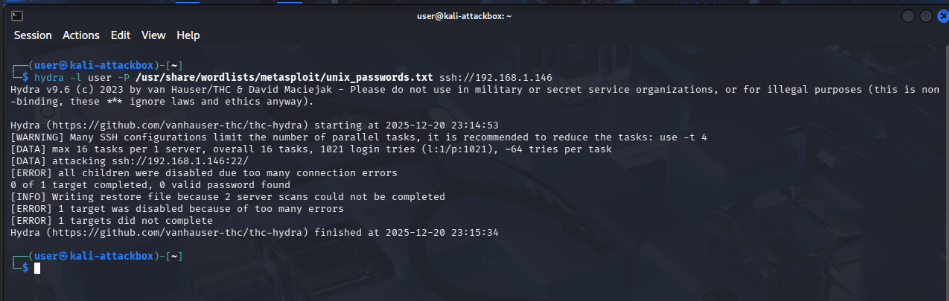
- Use Hydra to launch an SSH brute-force attack against the target system:
1
hydra -l <USERNAME> -P <PASSWD_LIST.txt> ssh://<IP>
Example:
1
hydra -l user -P /usr/share/wordlists/metasploit/unix_passwords.txt ssh://192.168.1.146
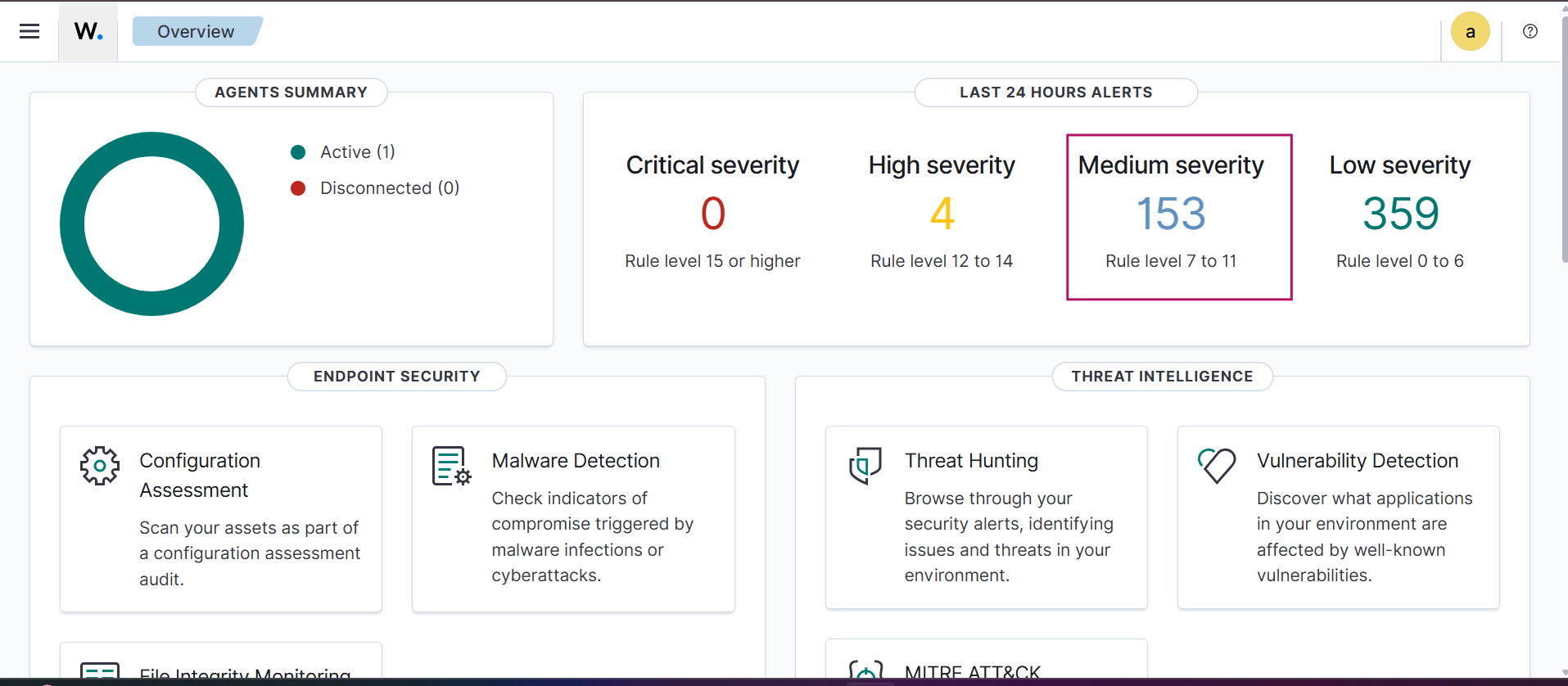
Once the attack is triggered, navigate to the Wazuh Dashboard. You will see multiple alerts generated in response to the repeated authentication failures.
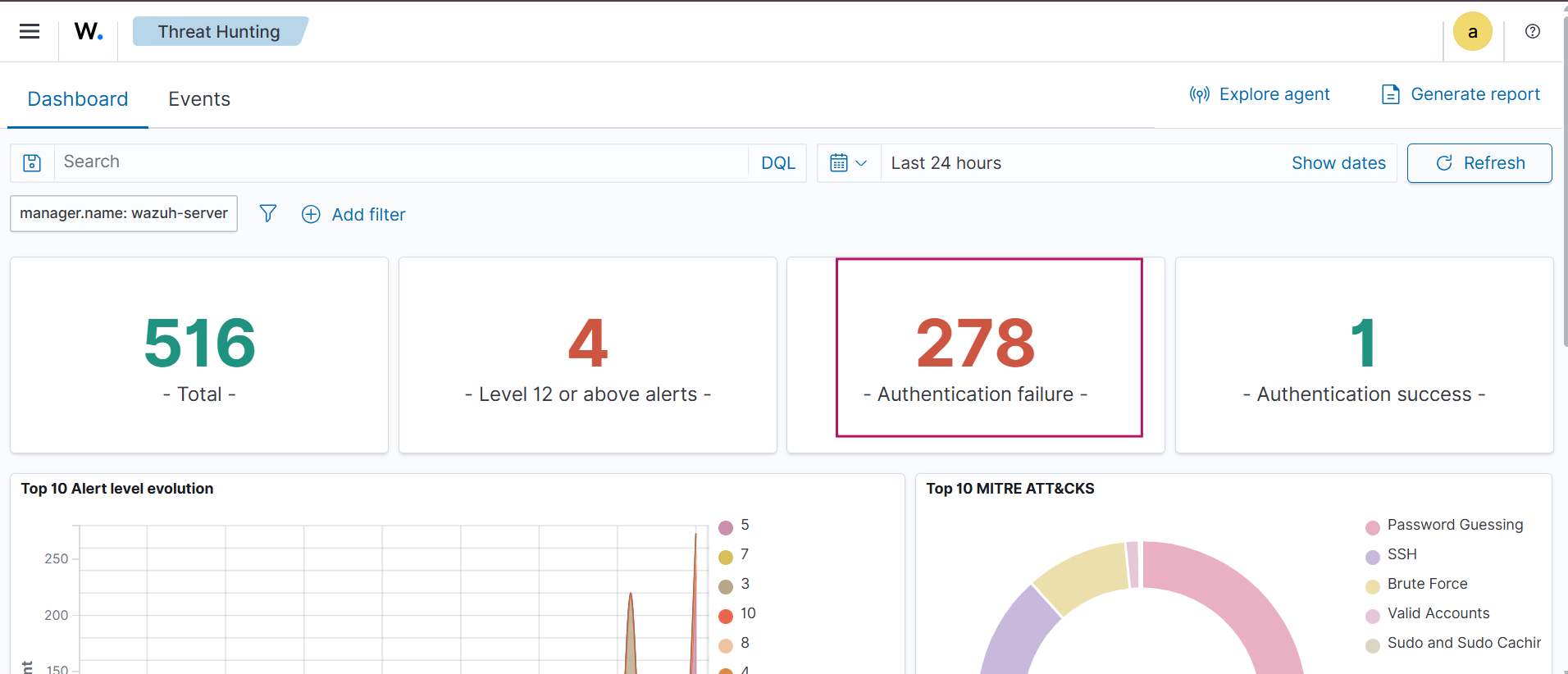
Go to Threat Hunting in the Wazuh dashboard. Here, you can observe a high number of authentication failure events (in this case, 278), indicating a brute-force attempt.
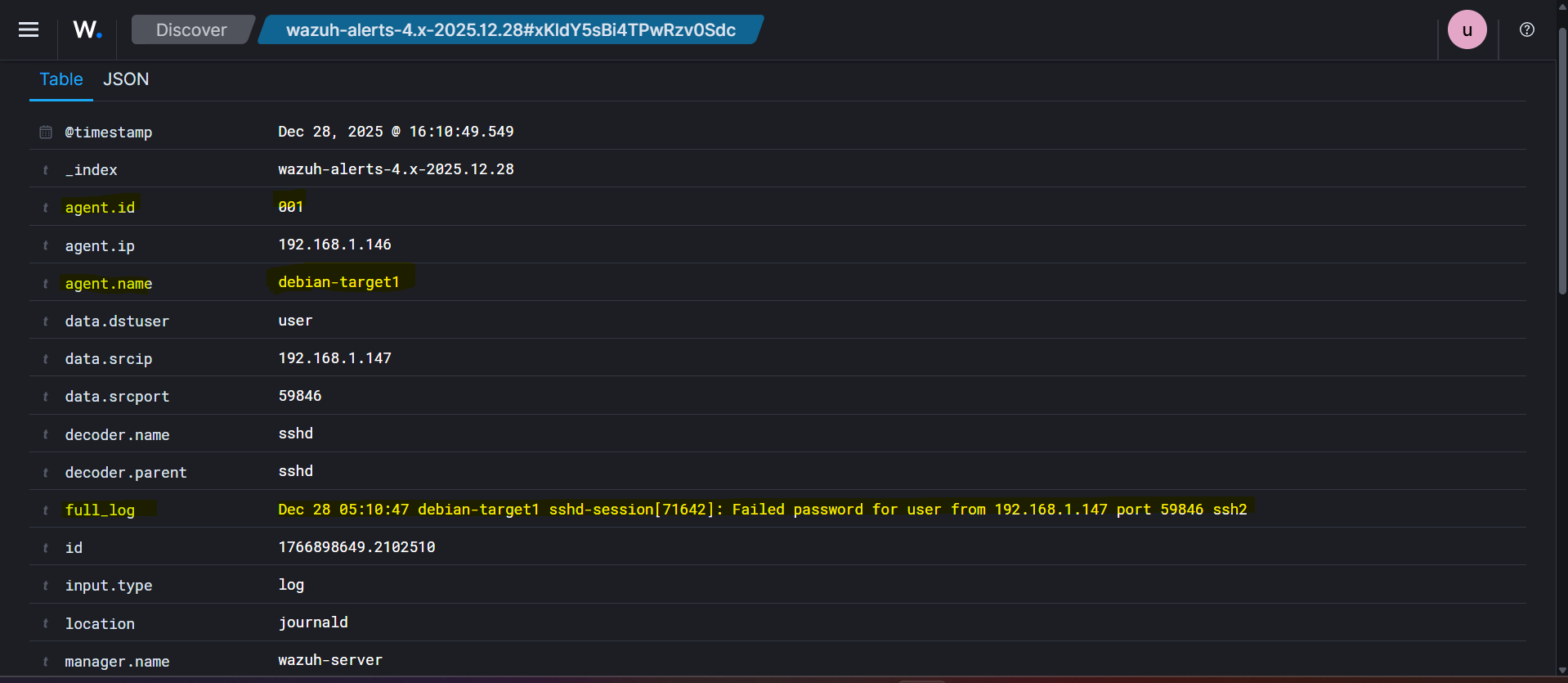
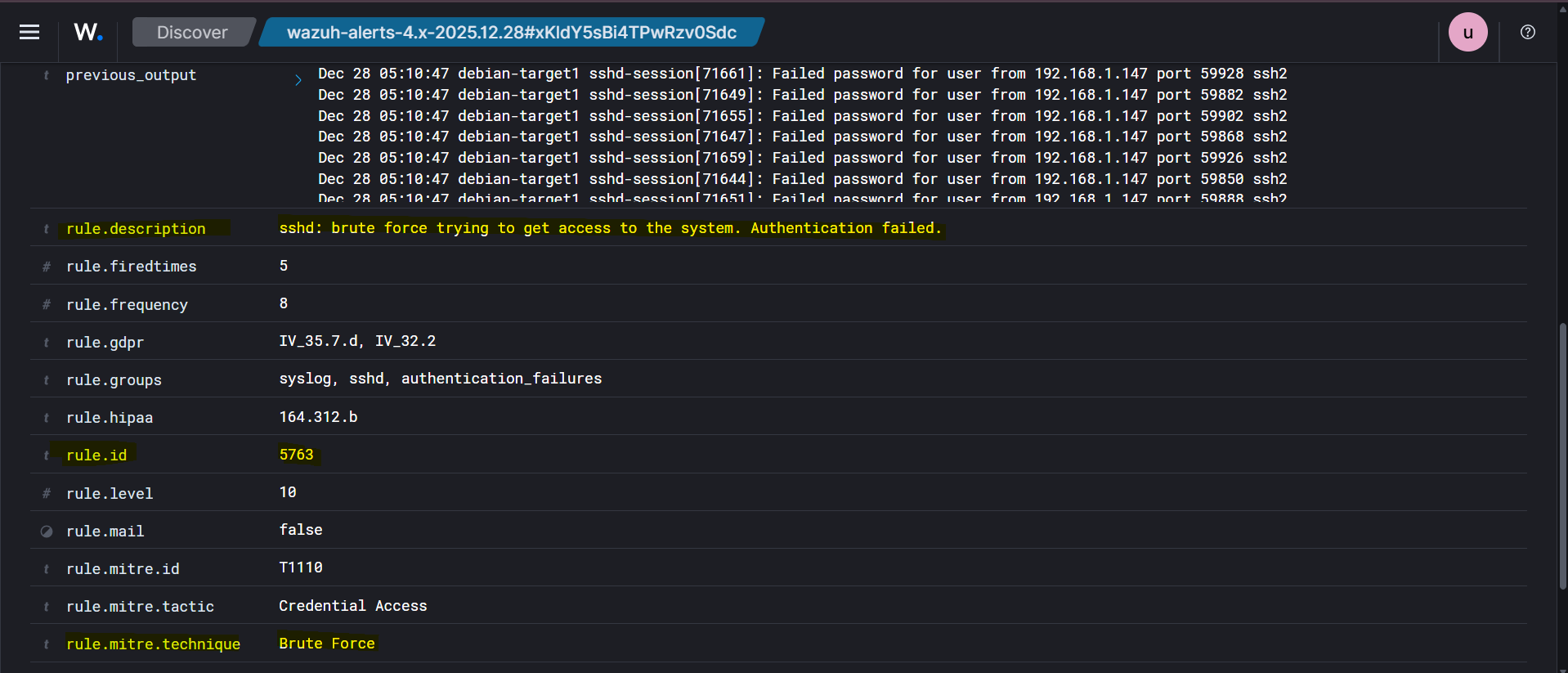
Inspect individual threat hunting events. One of the events shows the description:
“sshd: brute force trying to get access to the system. Authentication failed.”
Rule ID: 5763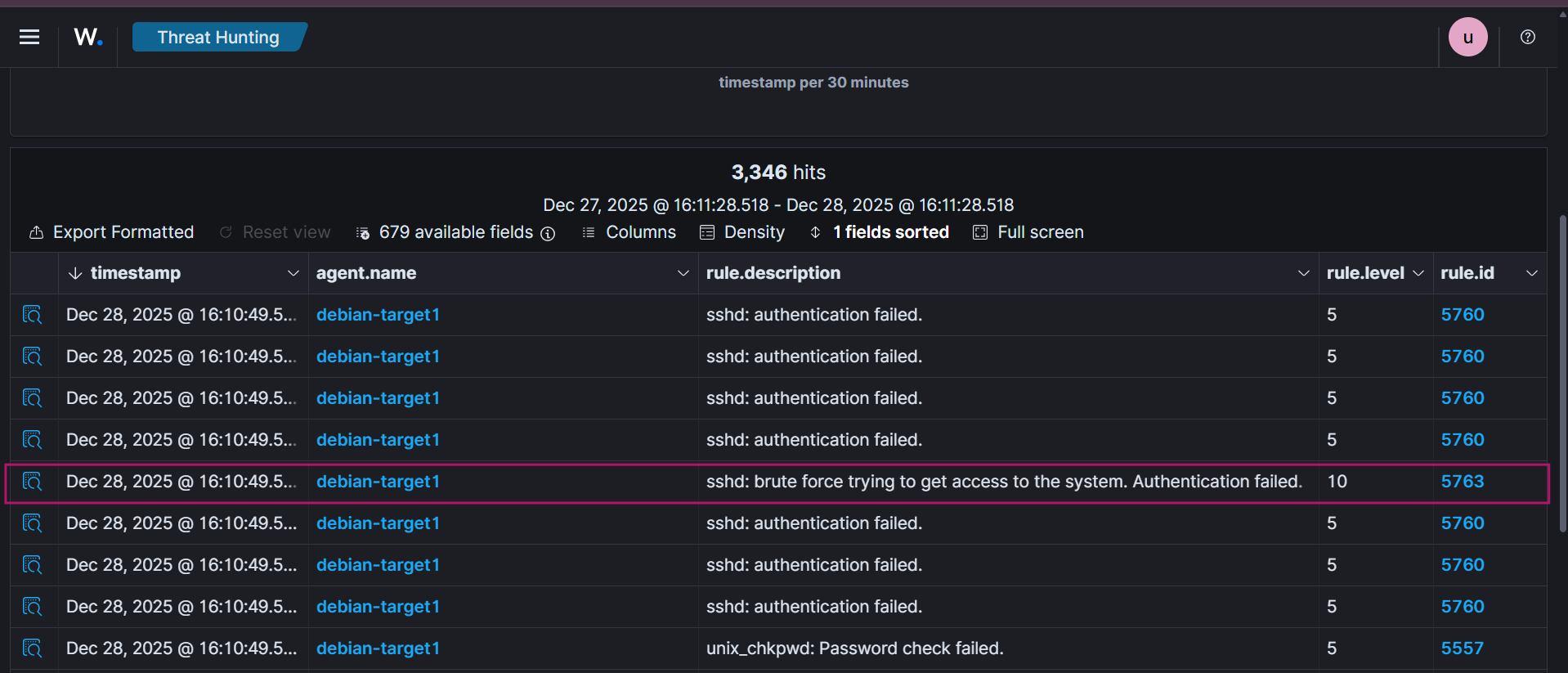
Expand the event to view detailed information such as source IP, attempted usernames, timestamps, and rule metadata.
Conclusion
This chapter demonstrated how an SSH brute-force attack is detected and logged by Wazuh. The generated alerts and threat hunting events confirm that Wazuh effectively monitors authentication activity and provides detailed visibility into attempted attacks.
Up Next
In the next chapter, we will use XDR capabilities to respond to and mitigate the simulated attack.