Chapter 11 - SSH Brute-Force Response Using Wazuh Active Response
Responding to a simulated SSH brute-force attack using Wazuh Active Response.

Introduction
In this chapter, we move from detection to response by actively mitigating the SSH brute-force attack observed earlier. Wazuh provides an Active Response capability that allows automated actions to be executed on monitored endpoints when specific security rules are triggered. This enables the system to react in real time instead of only generating alerts.
The goal of this chapter is to configure Wazuh to automatically block the attacker’s IP address once an SSH brute-force attempt is detected.
What Is Being Implemented
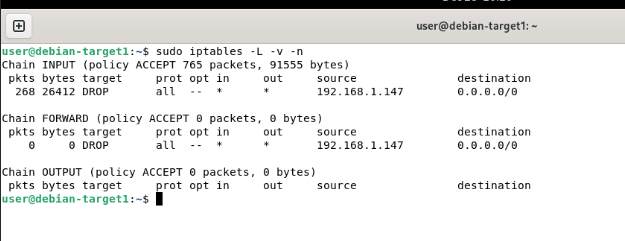
To respond to the detected attack, the Active Response module is configured to block the attacker’s IP address on the victim machine. This is achieved using the built-in firewall-drop active response script. The script is designed for Linux/Unix-based systems and uses iptables to immediately drop all network traffic originating from a malicious IP address. Once triggered by a specific Wazuh rule, the script dynamically inserts a firewall rule on the endpoint, effectively cutting off the attacker for a defined period of time.
Response Configuration and Validation
Log in to the Wazuh dashboard and navigate to:
Server Management → Settings → Edit Configuration Search for thefirewall-dropcommand to confirm it is present in the configuration.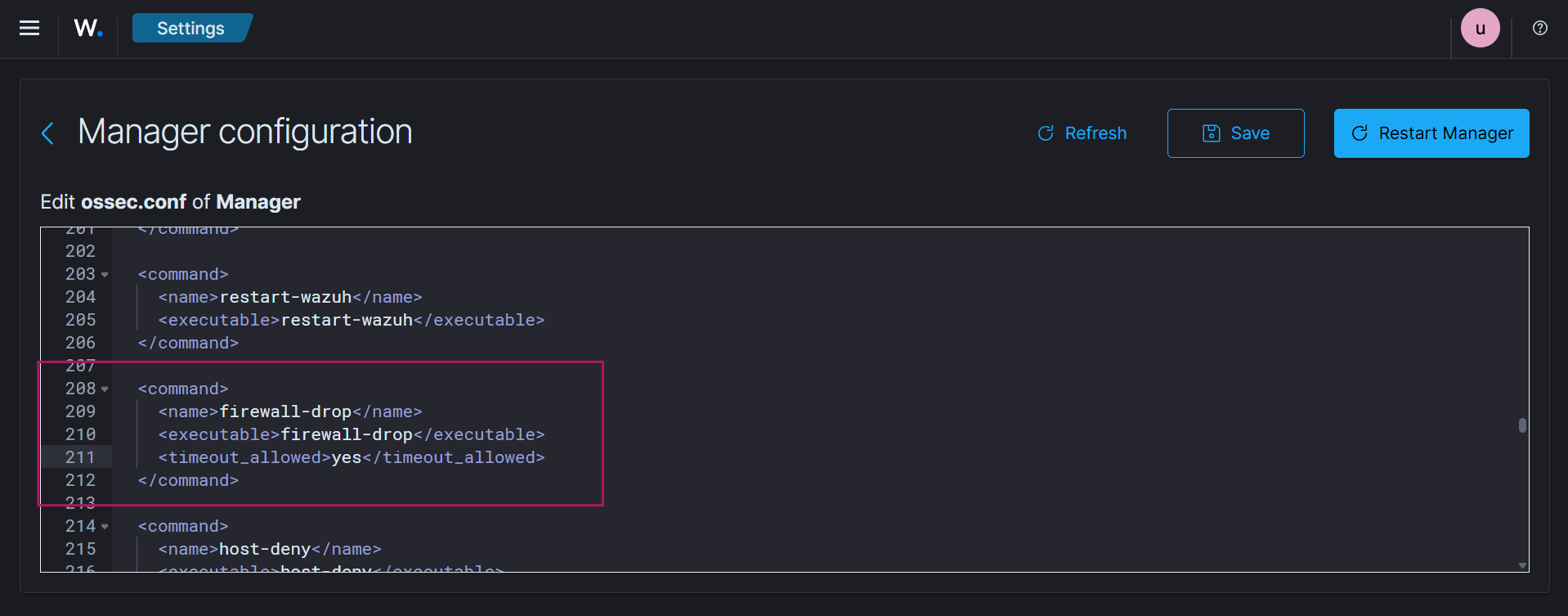
Add the following active response configuration. This configuration links the firewall-drop action to the SSH brute-force detection rule (
5763).Refer to the official documentation for a detailed explanation of each parameter.
1
2
3
4
5
6
7
<active-response>
   <disabled>no</disabled>
   <command>firewall-drop</command>
   <location>local</location>
   <rules_id>5763</rules_id>
   <timeout>100</timeout>
</active-response>
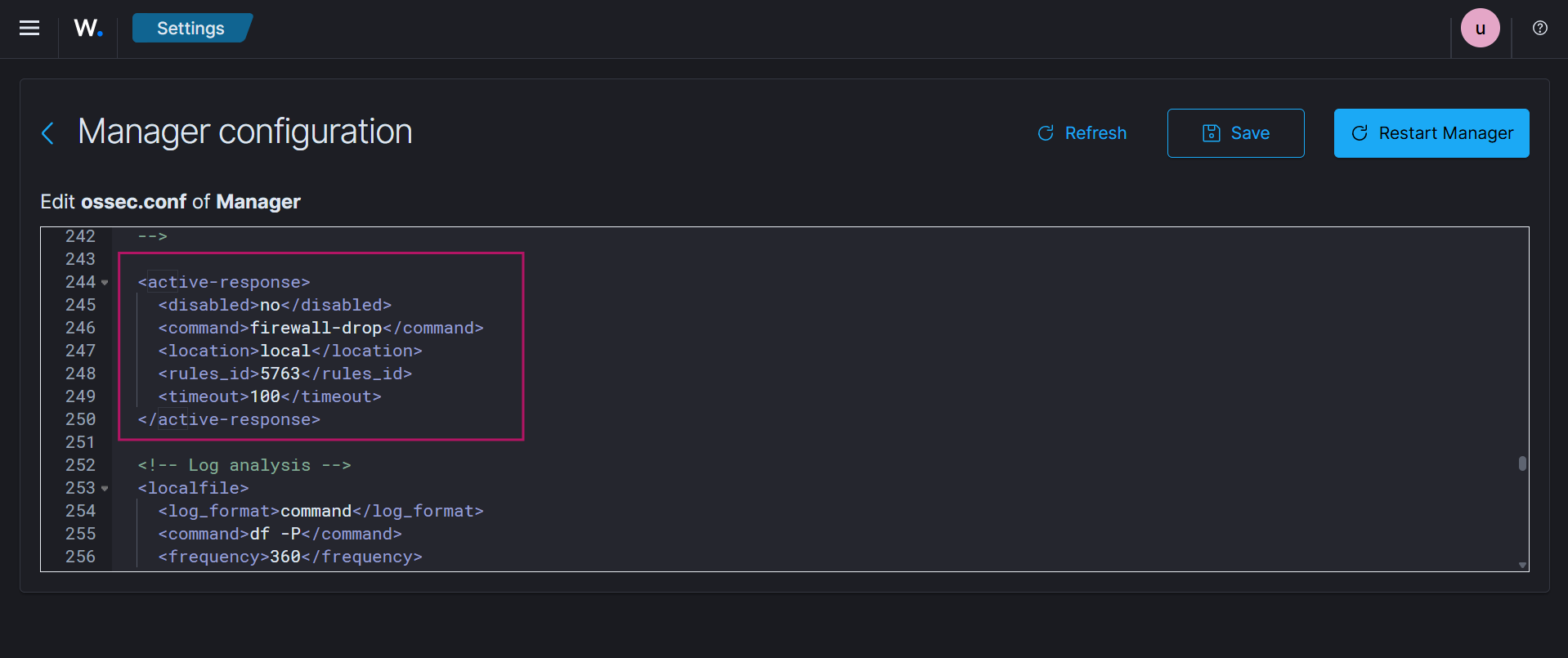
Save the configuration and restart the Wazuh manager for the changes to take effect.
Ensure that iptables is installed on the target (victim) VM, as the firewall-drop script relies on it to apply blocking rules.
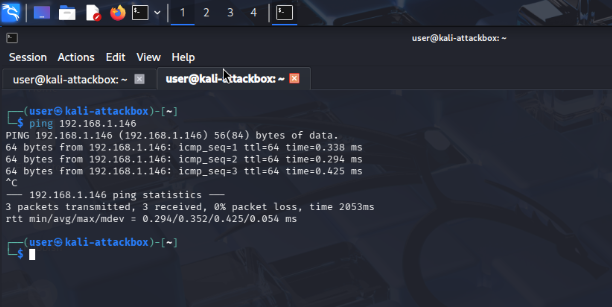
From the attack machine (Kali), ping the target system to confirm that it is reachable before launching the attack.
Launch the SSH brute-force attack again using Hydra, as demonstrated in the previous chapter.(Chapter 10)
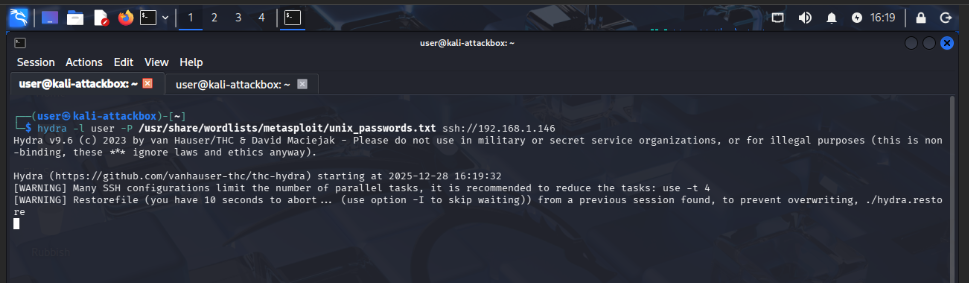
Attempt to ping the target system again from the attack machine. Packet loss confirms that the firewall rule has been applied and the attacker has been blocked.

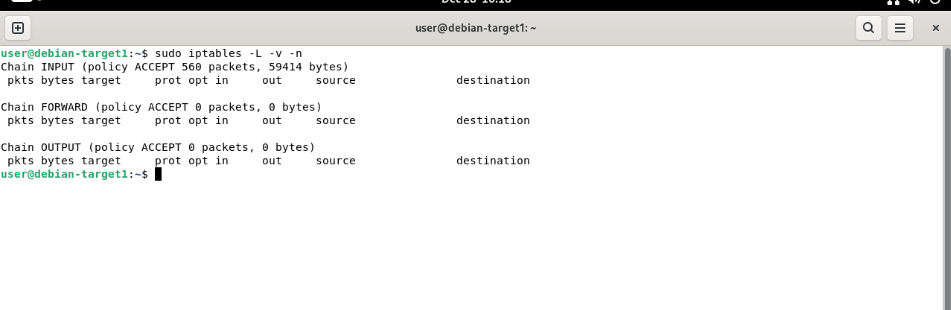
Check the iptables rules on the target machine to confirm that the blocking rule has been inserted.
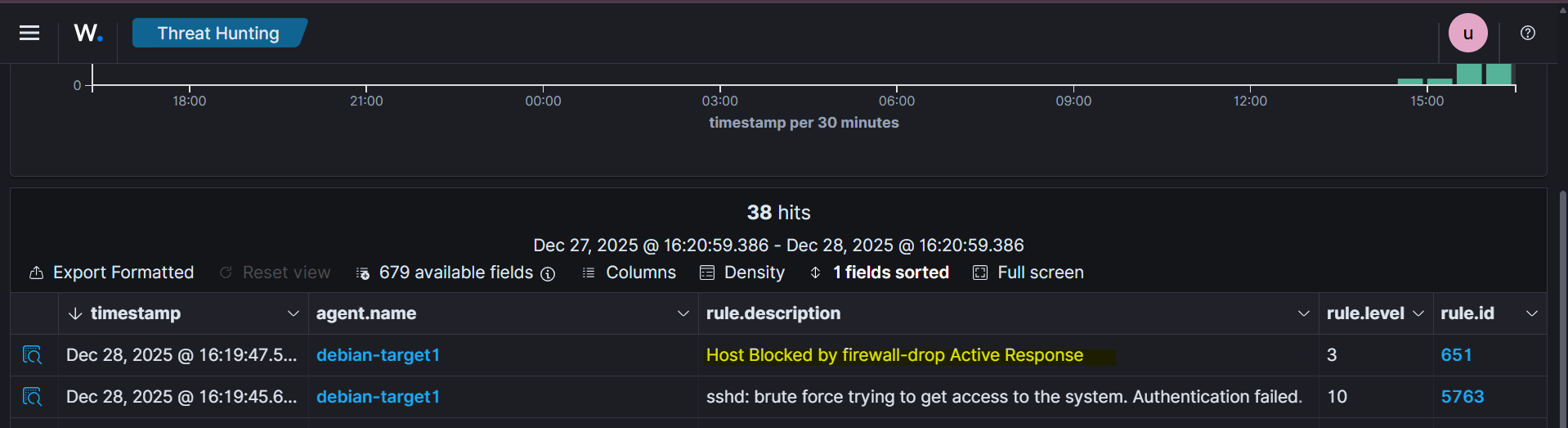
Navigate back to the Wazuh dashboard and open Threat Hunting → Events. An event indicating “Host blocked by firewall-drop” confirms that the active response was successfully executed.
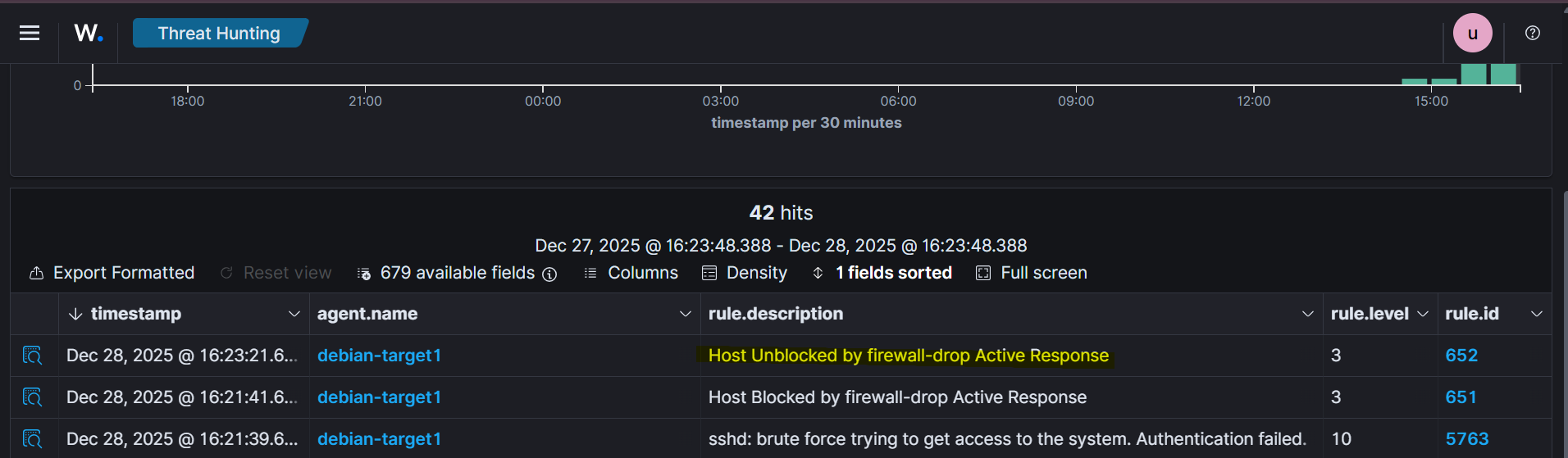
After approximately 100 seconds (as defined by the timeout), the attacker IP is automatically removed from the firewall rules. This can be observed in the dashboard as the host is unblocked.
Conclusion
This chapter demonstrated how Wazuh can move beyond passive monitoring to actively defending systems against attacks. By configuring the Active Response module with the firewall-drop script, SSH brute-force attempts were automatically detected and mitigated in real time.