Chapter 14 - Analysis of SYN Scan Behaviour and IDS Detection
Custom Suricata rule creation and SYN scan detection validation

Introduction
This chapter analyses basic TCP SYN scanning behavior before executing the official MITRE ATT&CK T1046 Atomic tests. The objective is to understand how a SYN scan operates at the network level, how traffic flows within the lab architecture, and how an intrusion detection system inspects such activity.
What Is Being Analysed
Under the MITRE ATT&CK Discovery tactic, Network Service Discovery (T1046) involves identifying open ports and running services on a target system.
Before executing Atomic Tests, basic testing was performed using Nmap to observe SYN scan behavior and validate detection capability within the lab environment.
The lab architecture is structured as follows:
- Kali Linux VM – Default LAN (192.168.3.0/24)
- Debian Target VM – VLAN 4 (192.168.4.0/24)
- OPNsense Firewall – Routing between LAN and VLAN 4
- Suricata – Running in IDS mode on OPNsense
Traffic between Kali and Debian is routed through OPNsense.
Initial SYN Scan Testing
The following command was executed from Kali where 192.168.4.5 is the target vm:
nmap -sS 192.168.4.5
This command performs a TCP SYN scan, commonly referred to as a half-open scan.
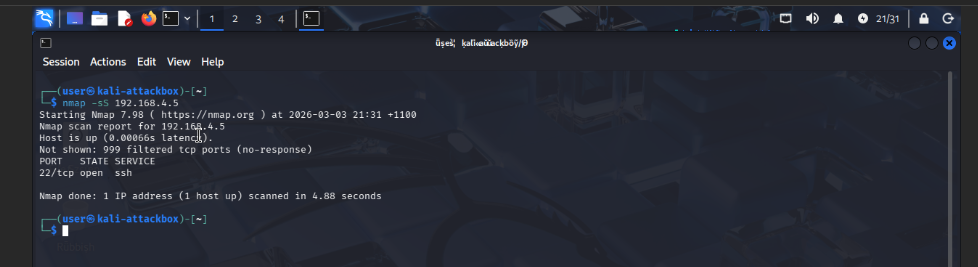 The scan identified:
- Port 22 (SSH) - Open
Understanding SYN Scan Behavior
A SYN scan operates by initiating but not completing the TCP three-way handshake. The process is:
- A SYN packet is sent to the target port.
- If the port is open, the target responds with SYN-ACK.
- The scanner (in our case Kali VM) immediately sends RST.
- If the port is closed, the target responds with RST.
Since the handshake is not completed:
- No authentication occurs.
- No application session is established.
- No data exchange takes place.
From a system perspective, no full connection is created.
Verifying Network Routing
To confirm that traffic was passing through OPNsense, a traceroute was executed:
traceroute 192.168.4.5
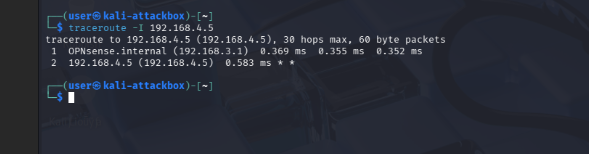
The result showed OPNsense as the intermediate hop, confirming that traffic between LAN and VLAN 4 was routed via the firewall. This ensures that Suricata, running on OPNsense, has visibility of the traffic.
Suricata Configuration and Interface Adjustment
Initially, Suricata was monitoring only the LAN interface. Since the Debian target was located in VLAN 4, the VLAN 4 interface (configured as Targets) was added to Suricata’s monitored interfaces. 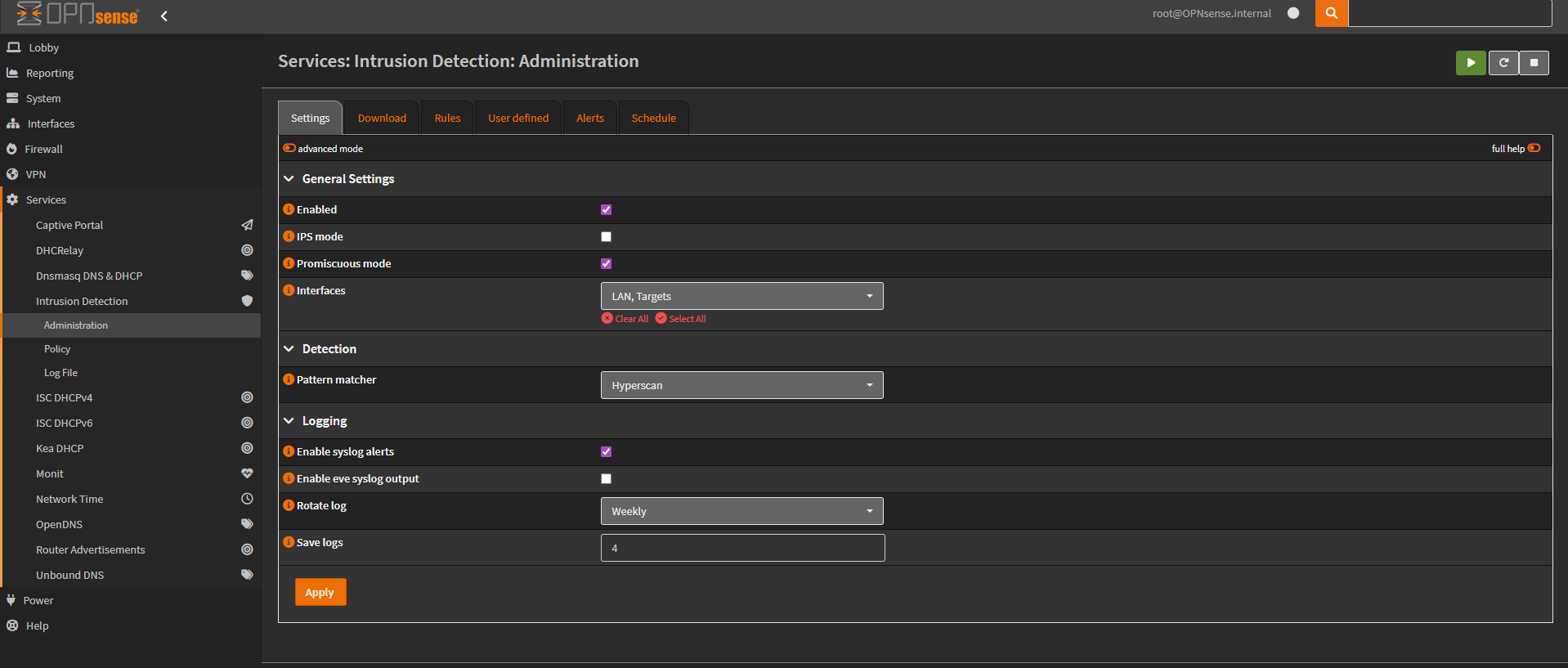 Emerging Threats scan-related rules were then enabled and downloaded. Suricata was restarted to apply the changes.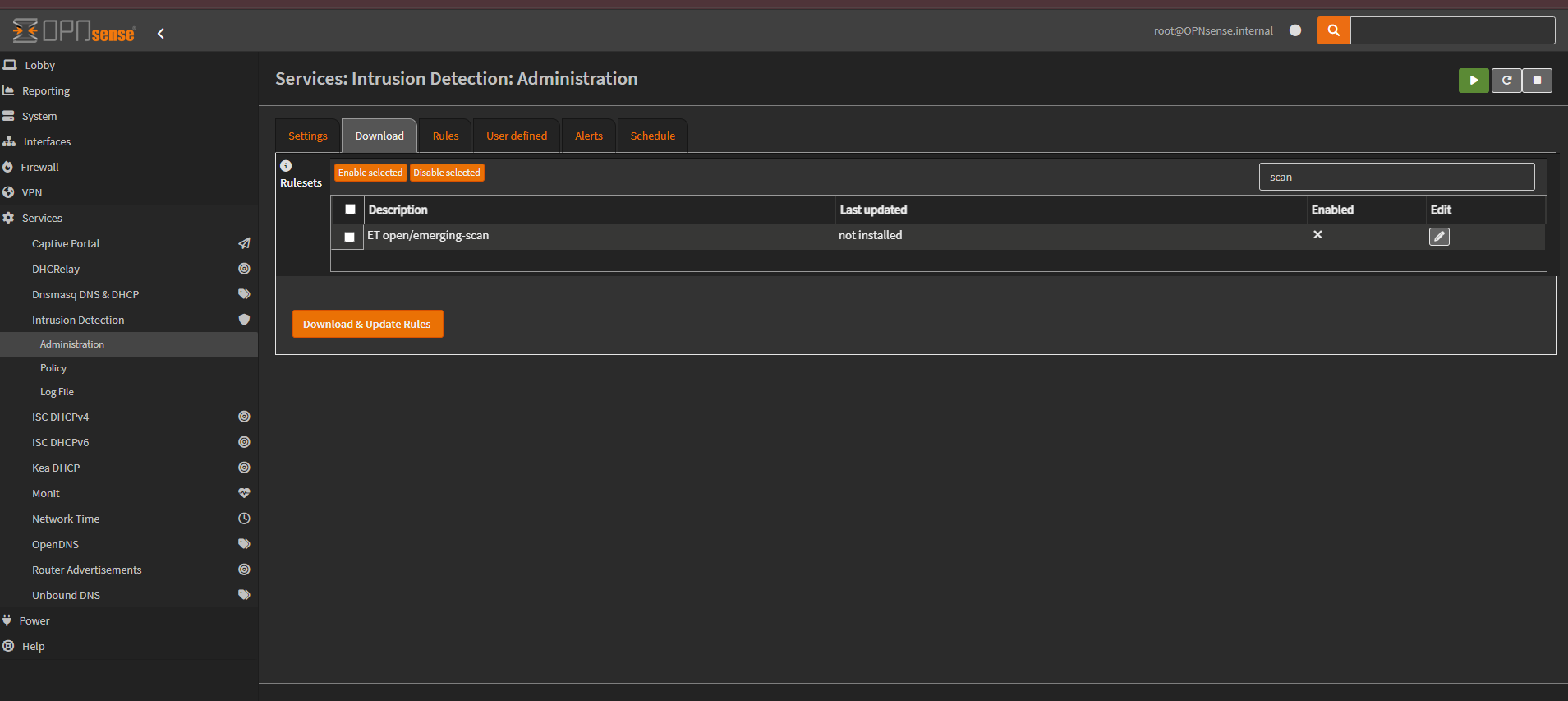
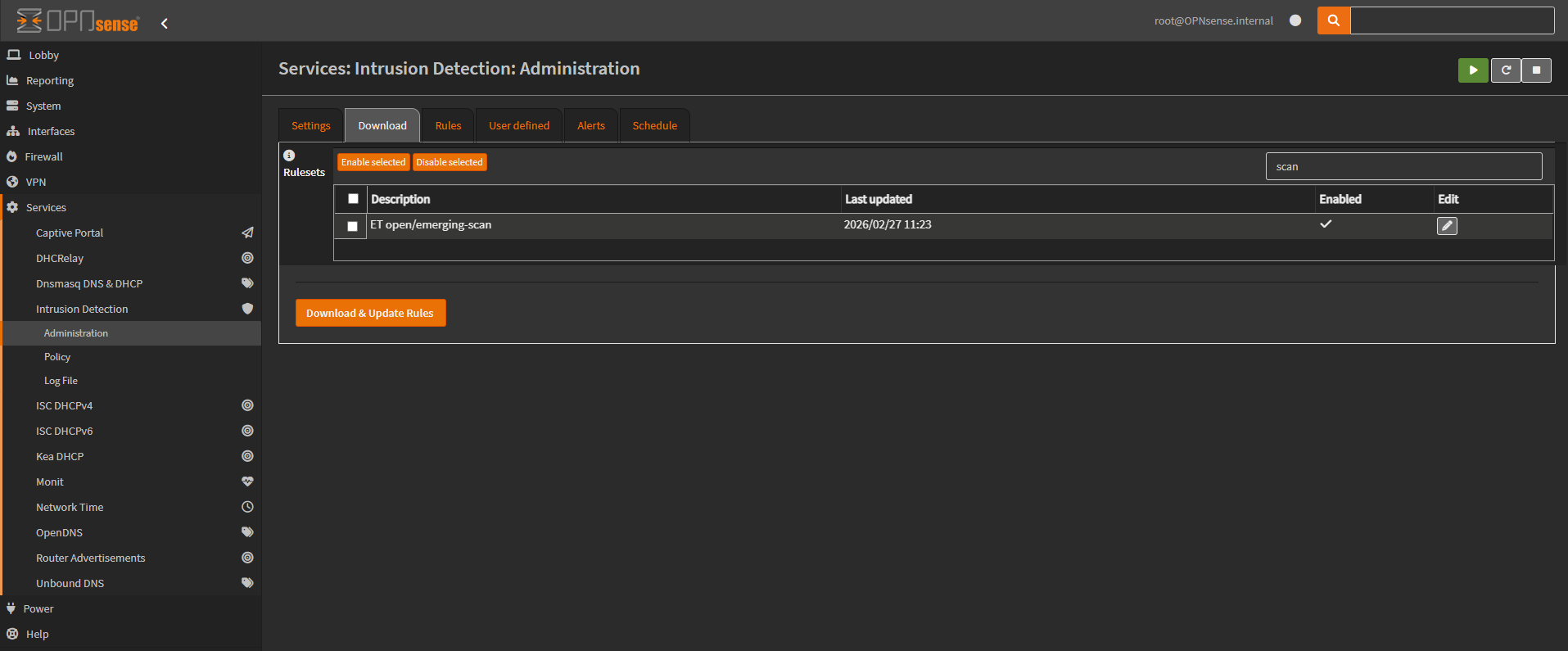 Before performing the Nmap scan from the Kali VM, it was ensured that scan-related rules were enabled.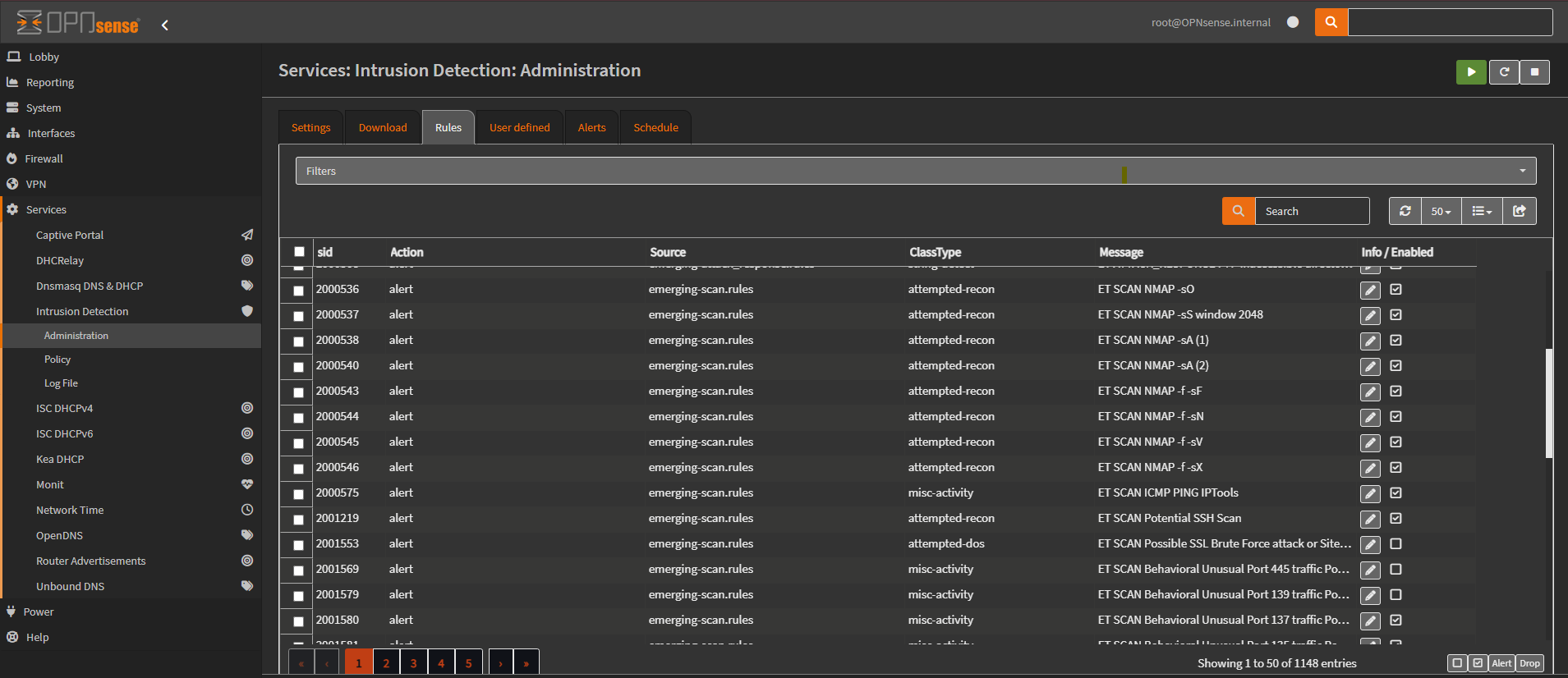
Initial Result
Even though the Suricata rules were enabled and traffic was confirmed to be flowing through OPNsense, no alert was triggered for the following command:
nmap -sS <target-ip> 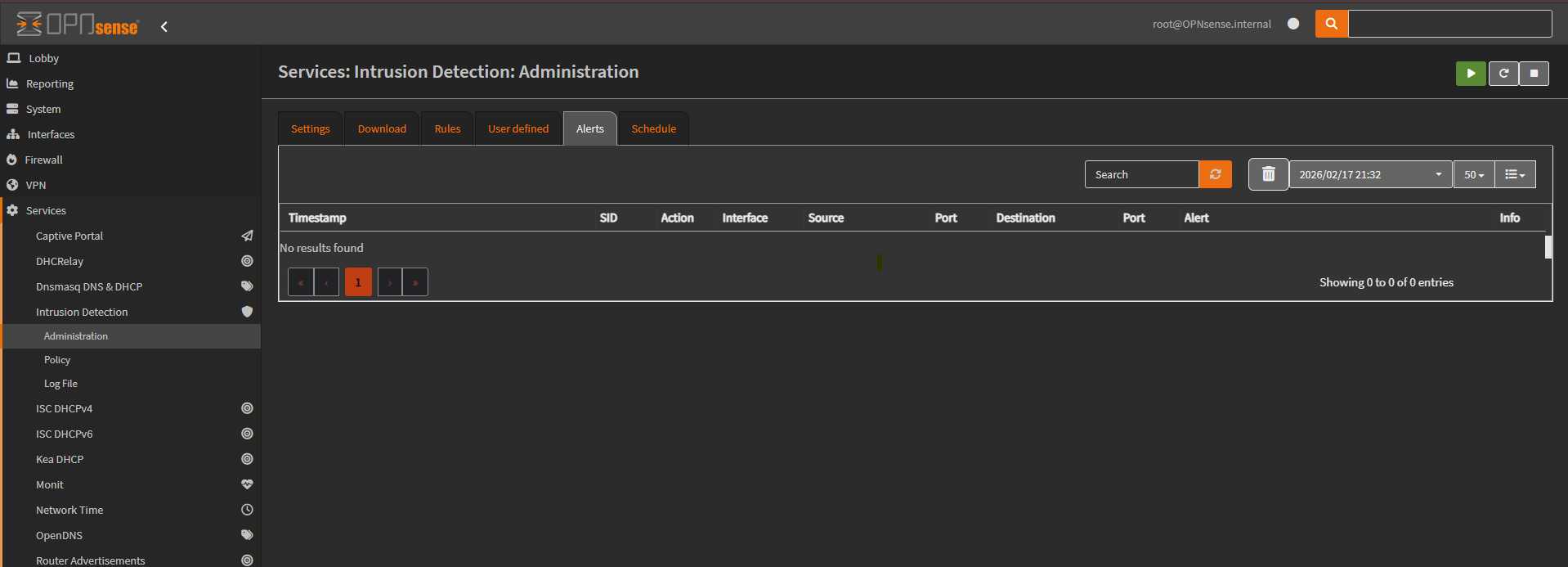
Packet Capture & Rule Analysis
Packet capture was performed on OPNsense to validate traffic visibility. On the VLAN 4 interface, the following TCP sequence was observed between Kali and Debian:
- SYN
- SYN-ACK
- RST
This confirmed that the SYN scan traffic was visible at the firewall level. However, no Suricata alert was generated. 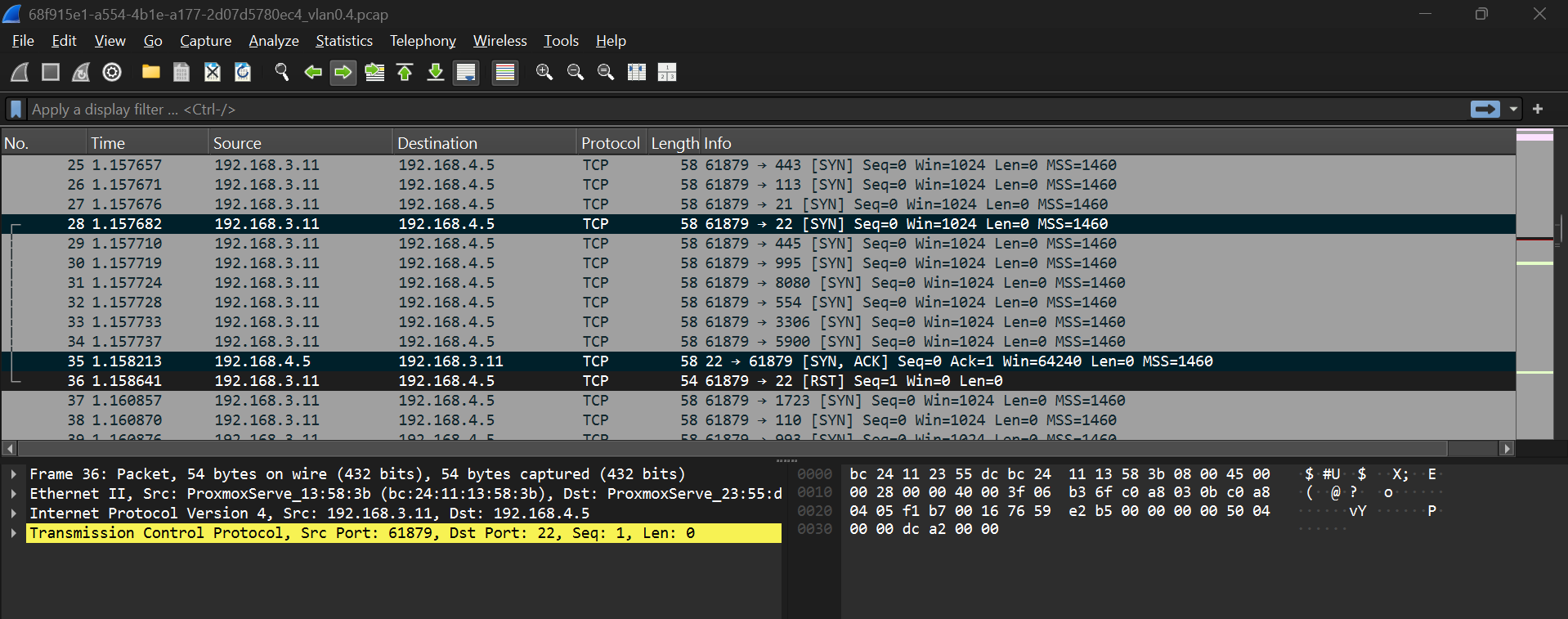 Further inspection of the enabled Suricata rule revealed a condition requiring:
- TCP window size = 2048
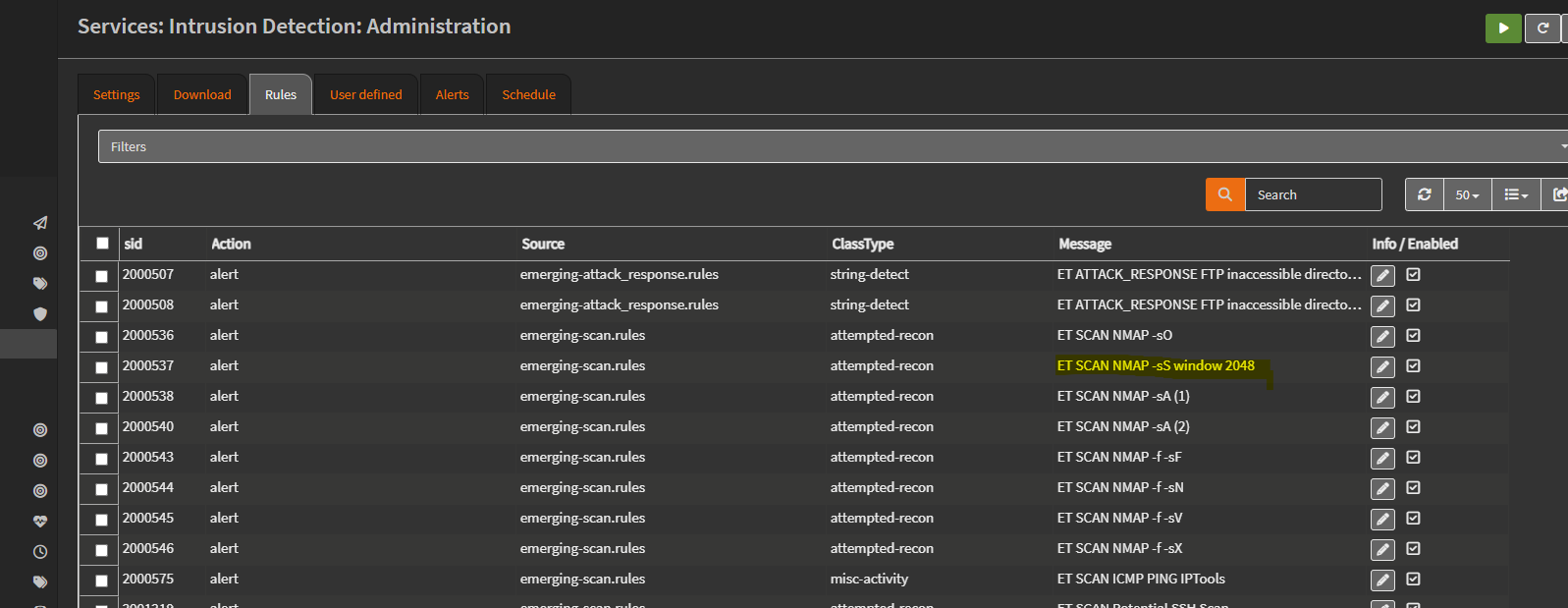
However, packet capture analysis showed that the Nmap SYN packets contained:
- Window size = 1024
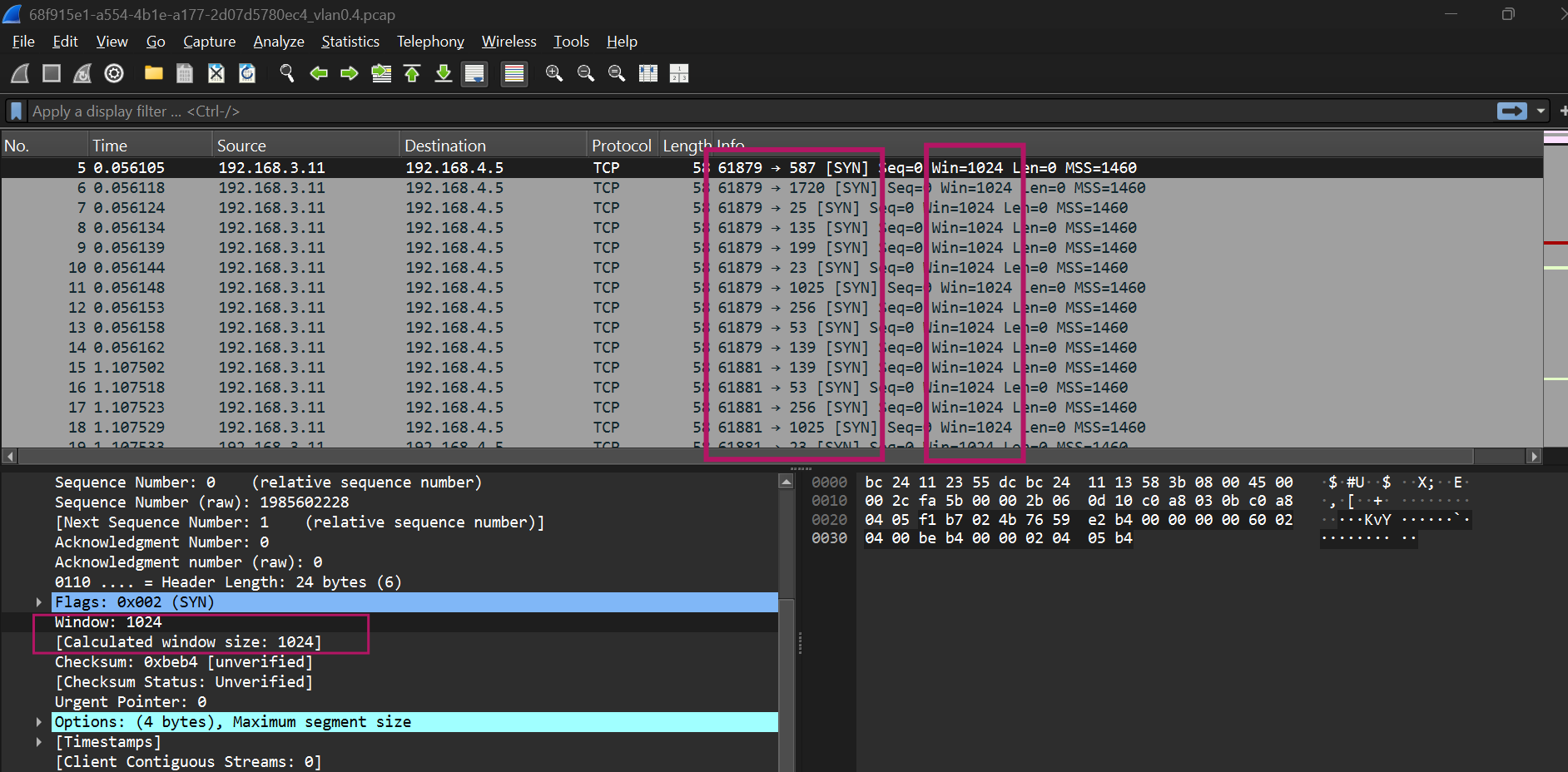
Since Suricata rules trigger only when all specified conditions match, the alert did not generate due to this mismatch. This confirms that IDS detection depends strictly on defined rule conditions, including TCP header values.
Custom Rule Implementation
An Apache Web Server running on a Debian LXC container hosted in Proxmox was used to store and serve the custom rule files through a local HTTP service. This setup allows OPNsense to download the rule set directly from a reachable internal system.
Refer Chapter 13 for detailed steps on deploying the LXC container.
The following command was used to install Apache on the Debian LXC container:
1
2
3
4
apt install apache2
systemctl enable apache2
systemctl start apache2
systemctl status apache2
Creating Custom File (Rule Metadata File)
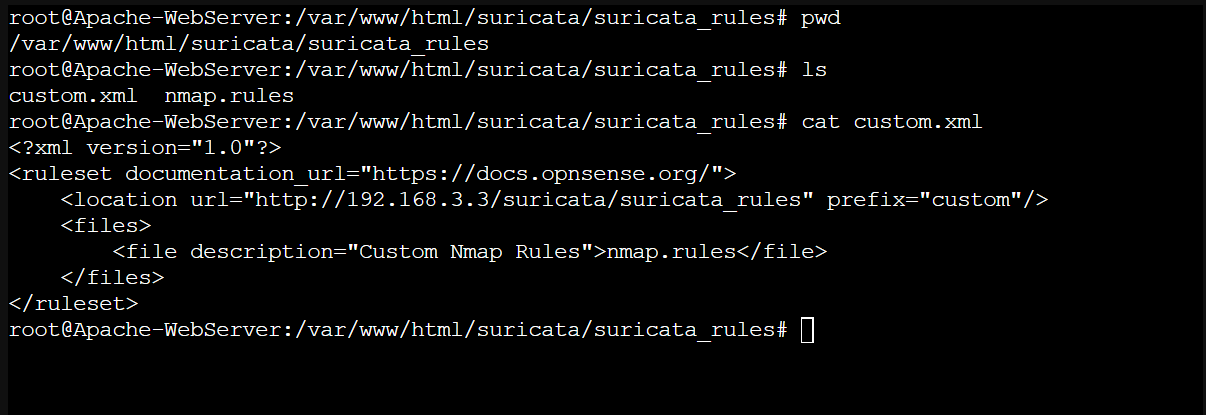
A file named custom.xml was created. The IP address 192.168.3.3 refers to the Apache Web Server hosting the rule files.
The purpose of this XML file is to provide metadata to OPNsense. It tells OPNsense:
- Where the custom rule files are located
- What files should be downloaded
- How they should be grouped inside Suricata
In simple terms, the XML file acts as a pointer or reference so OPNsense knows from where to retrieve the actual rule file.
1
2
3
4
5
6
7
<?xml version="1.0"?>
<ruleset documentation_url="https://docs.opnsense.org/">
    <location url="http://192.168.3.3/suricata/suricata_rules" prefix="custom"/>
    <files>
        <file description="Custom Nmap Rules">nmap.rules</file>
    </files>
</ruleset>
Creating Nmap Rules (Detection Rule File)
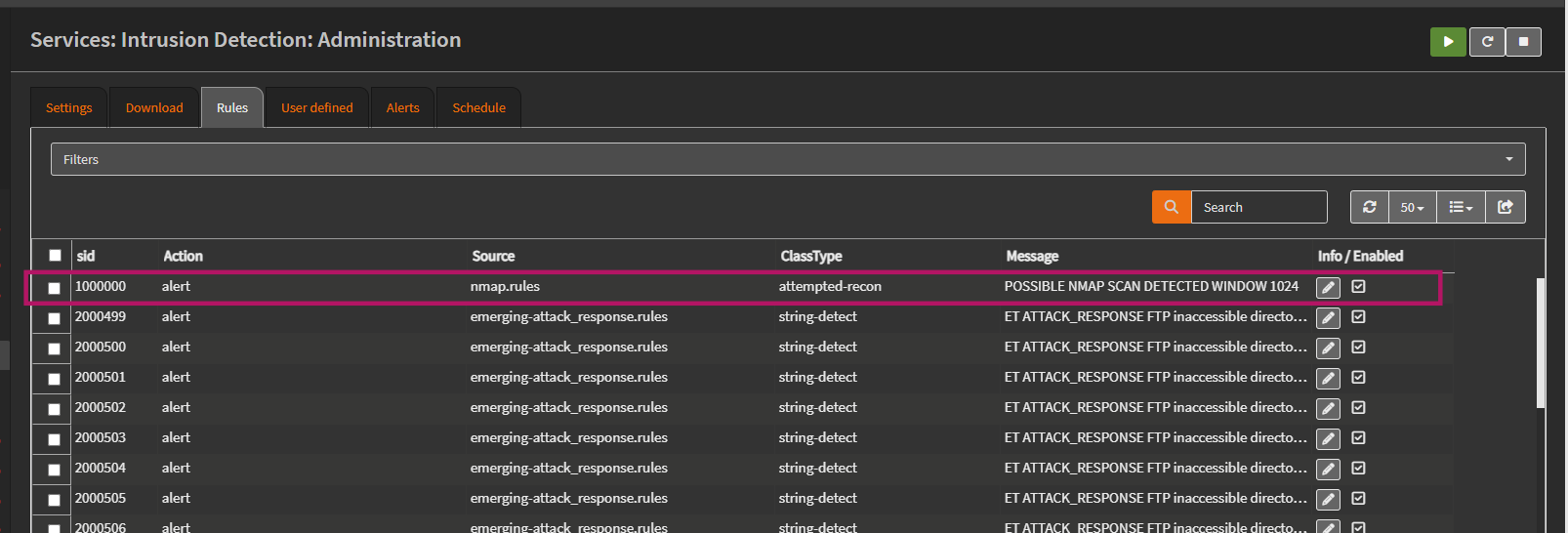
The file nmap.rules contains the actual Suricata detection logic. This file is written in Suricata rule syntax. This rule is designed to detect TCP SYN packets with a window size of 1024, which matches the packet characteristics observed during the Nmap SYN scan.
1
alert tcp any any -> $HOME_NET any (msg:"POSSIBLE NMAP SCAN DETECTED WINDOW 1024"; flow:stateless; flags:S; window:1024; priority:3; classtype:attempted-recon; sid:1000000; rev:1;)
 Explanation of the rule:
alert– Generates an alert when conditions matchtcp– Applies to TCP trafficany any -> $HOME_NET any– From any source to the internal networkflags:S– Detects SYN packetswindow:1024– Matches packets with TCP window size 1024flow:stateless– Evaluates packets individually without requiring session trackingclasstype:attempted-recon– Categorizes the alert as reconnaissance activitysid:1000000– Unique rule identifierrev:1– Rule revision number
Note: You can refer to Suricata Rules when creating custom rules.
Hosting the Custom Rules
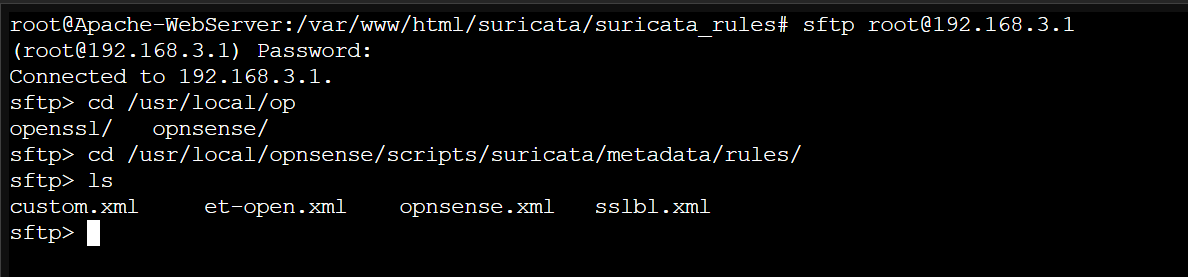
Custom rule files must be hosted on a system that OPNsense can reach over the network. To allow OPNsense to retrieve the metadata file:
- SSH was enabled on OPNsense.
- The
custom.xmlfile was copied to OPNsense using SFTP:1 2
sftp [email protected] put custom.xml
The file was placed in the appropriate Suricata metadata directory.
Enabling and Applying the Custom Rule
After configuring the metadata and hosting the rule file:
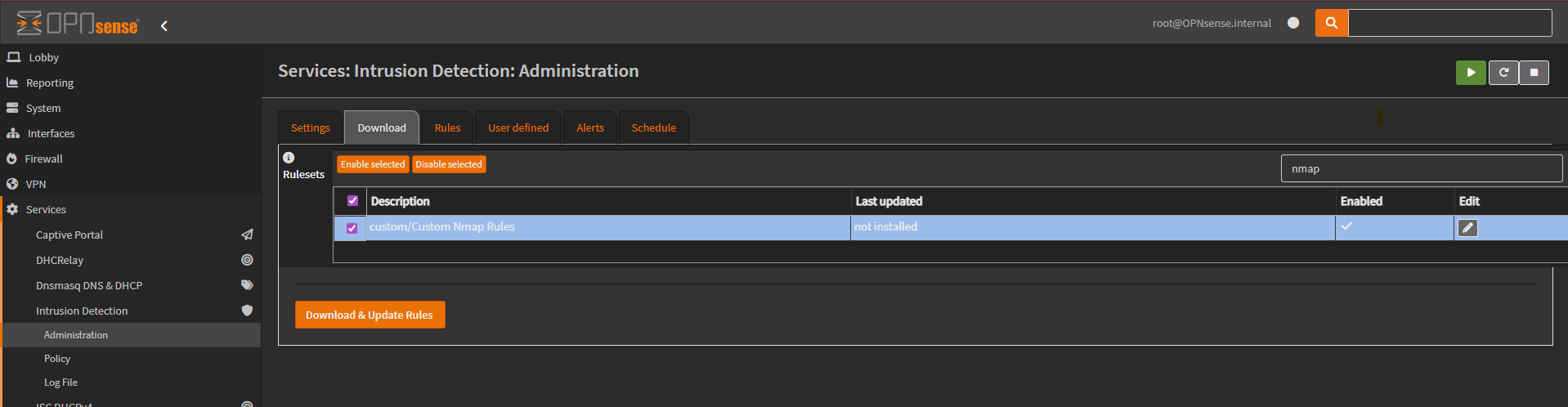
- The custom rule set was enabled in OPNsense
- Rules were updated
- Suricata was restarted
The custom Nmap rule became visible under the Suricata Rules section. 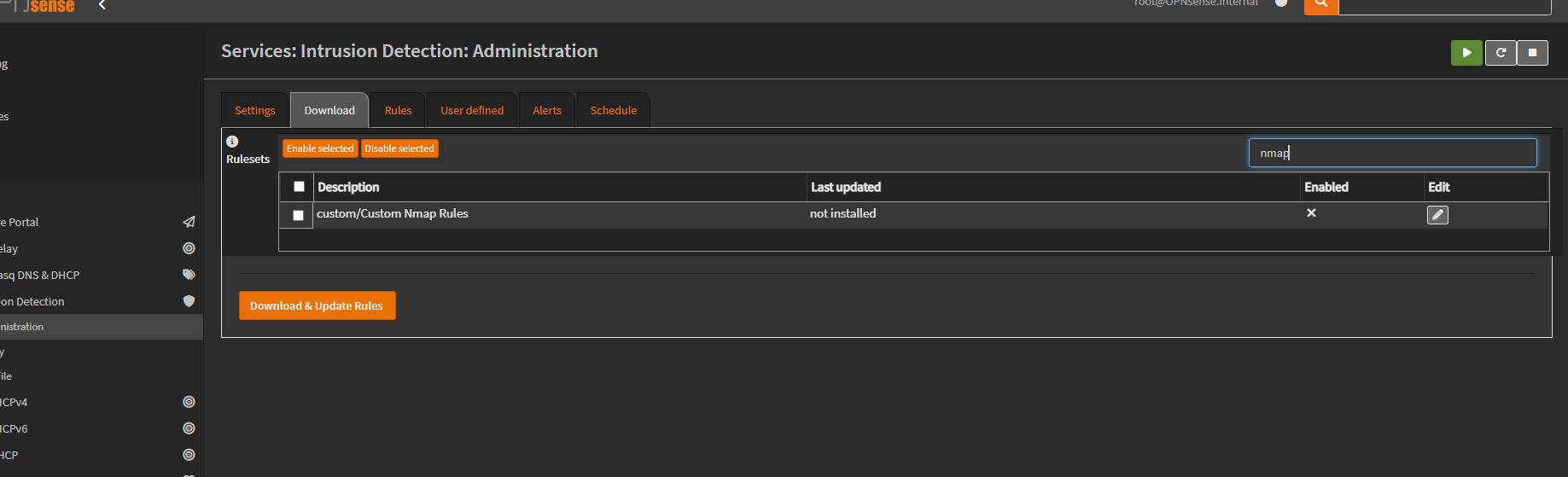
Validation
The following command was executed again from the Kali VM:
1
nmap -sS -T3 192.168.4.5
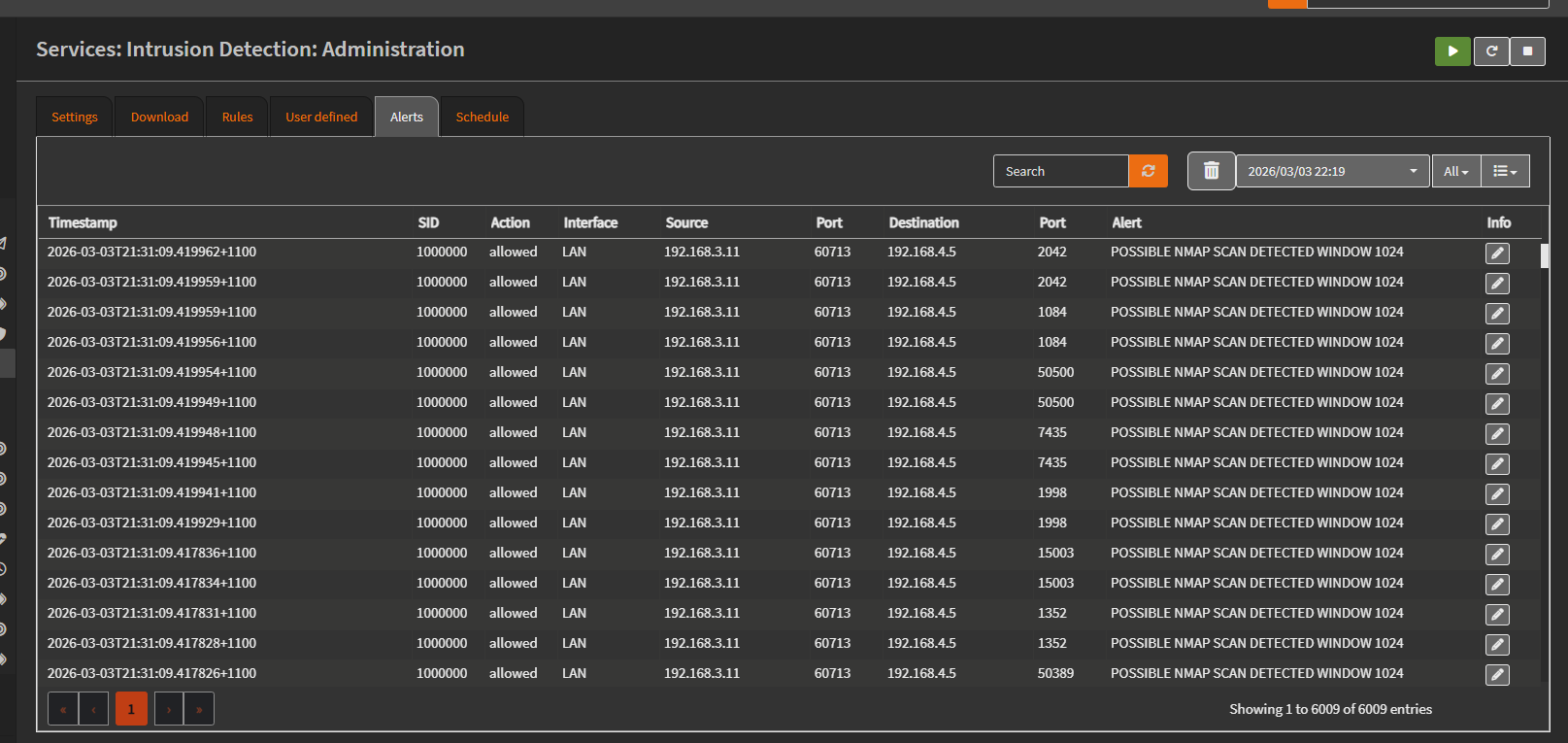
This time, an alert was successfully generated for each SYN packet sent during the scan.
This confirms that SYN-based reconnaissance activity was successfully detected at the network level using the custom Suricata rule.
Conclusion
This chapter analysed the behavior of TCP SYN scanning within the lab environment and validated how such reconnaissance traffic appears at the network level. It also demonstrated how custom Suricata IDS rules can be created and applied to detect specific scan characteristics.